
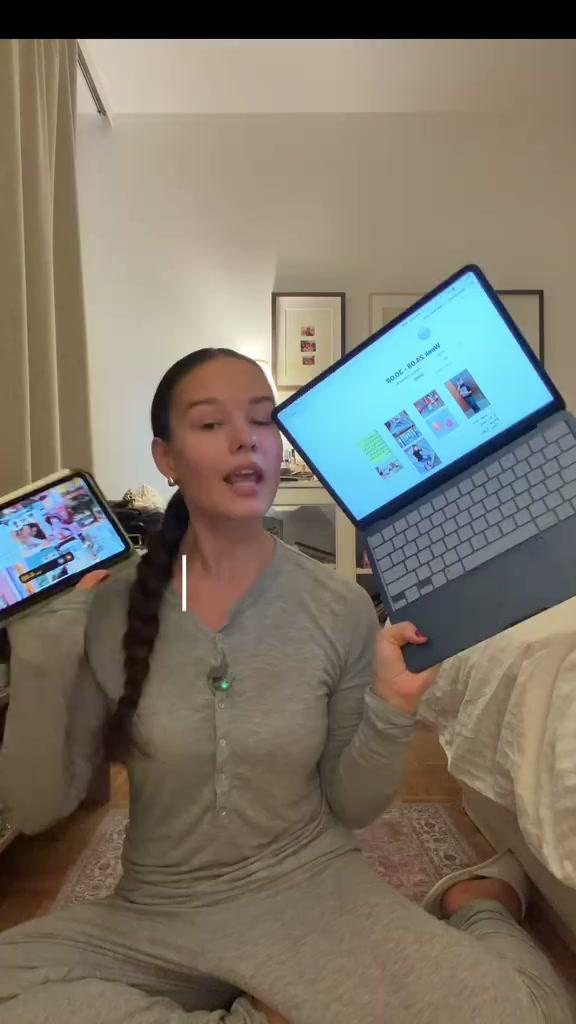
“A split-screen talking-head walkthrough you can use to grow a lifestyle app - showing how a busy multi-hyphenate structures their digital planner dashboard step-by-step.”
Original caption: I use 📍Notion, Apple calendar, Goodnotes | how I plan my week | a simple guide to organizing, task and time management for better focus, less stress and more structure | notion, calendar and journal 💋#planttok #planning #organization #winterarc #selfimprovement
Posted on TikTok
 8× outlier
1/5 reach magnitude vs the account's own baseline.
How hard it moved viewers to save, share, and comment.
Why this qualified
This talking head TikTok post pulled 107K views, about 8x what the account normally does (a typical post on the same account lands near 13K views). Handler flags that gap as an outlier: the reach came off the post itself, not off the size of the account behind it, which is what makes the structure worth studying.
A 5/5 Pull score tracks the actions that matter after a view - save, share, comment - and weighs them above the like count. Weighted out, that is 63.3%. The app in frame is A digital planner template. It is the half of the scoring that says whether viewers did anything, not just whether they watched.
By the raw numbers the post logged 23K likes, 61 comments, 1.1K shares, and 10K saves - the metrics Handler weighs into its Pull read, and the same figures you see in the panel above.
The full breakdown - why the hook works, the comment-intent read, and the ready-to-shoot dupe kit - lives inside Handler.
Anatomy
This 141-second talking-head video opens with the speaker addressing the camera to introduce their weekly planning routine. The hook is delivered in a direct, conversational style. The video moves through six distinct beats, transitioning between direct-to-camera explanations and screen recordings of digital interfaces. These scenes cover creating a mood board, setting categorized goals, reading weekly principles, capturing random insights, time-blocking a calendar, and journaling. Text overlays label each section as the speaker walks through them. The planning, calendar, and journaling apps are shown directly on screen throughout the demonstration, matching the steady pacing of the walkthrough.
How this post compares
Its 107K views run about 0.3x the median of recent lifestyle outliers in the library. Its Pull score sits in the top 1% of the 2163 lifestyle outliers we currently track.
Saves did the heaviest lifting on its Pull score - the action TikTok rewards most. It is one of the few Talking head breakouts among recent lifestyle outliers in the library, just 14% of the pool.
More outlier TikTok posts
Same Talking head format
Same Talking head format
Same Talking head format
Same Talking head format
App demo in Lifestyle
App demo in Lifestyle
Slideshow in Lifestyle
App demo in Lifestyle
Silent UGC in Lifestyle
Silent UGC in Lifestyle
Slideshow in Lifestyle
App demo in Lifestyle
Want to dupe these outliers for your own app?
Handler doesn't just list the winners - it rebuilds them as your own. Your brand's AI creator, your product in every shot, the regeneration prompt and brand overlay done for you.