How to Grow a Meal Planning App on TikTok: 4 Outliers Winning Now
Four meal planning app demos beat their account's median by 640x to 1,863x this month. Two drew install questions, two drew reach. Here is what separated them.

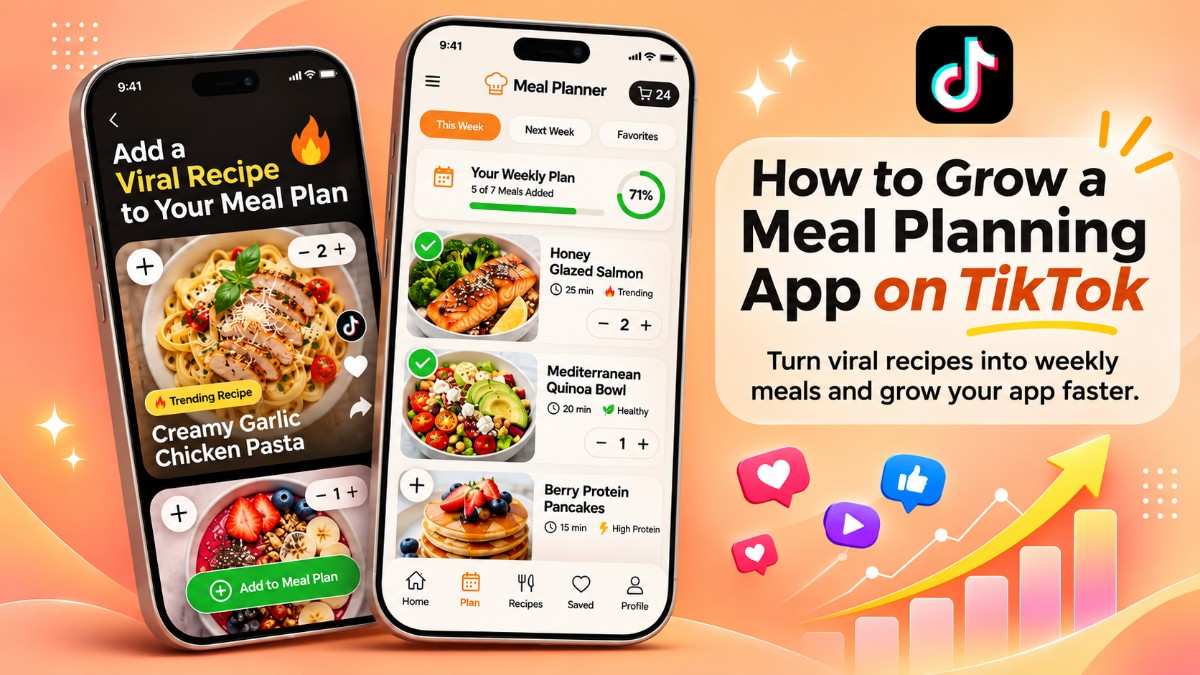
Short answer: Meal planning apps are breaking out on TikTok with one format: a real budget problem in the first two seconds, then an over-the-shoulder tablet demo that solves it on screen. Four posts from 18 October to 3 November 2026 beat their own account's median by 640x to 1,863x, and three of the four promote the same app, TapCook. The posts that named a specific budget and showed the final cart total drew people asking for the app. The posts built on outrage at a grocery chain drew reach and saves, but few install questions.
Key points
- @sunflowermama.coo reached 834K views on an account that normally gets about 449, a 1,863x outlier with Pull 4/5.
- @paula.eatss reached 1.2M views against about 1.2K typical (962x), and is the only Pull 5/5 of the four, carried by 26K saves.
- @smallbizshy and @brooke.cooks7 scored 728x and 640x on baselines of 282 and 635, both Pull 3/5.
- All four are app demos filmed over the shoulder on a tablet, and all four accounts are small: 282 to about 1.2K typical views.
- The format is not new. Meal planning demos in the same library hit 3,134x in July and 4,644x in September 2026.
Which meal planning app TikToks are breaking out right now?
These are the four highest-scoring meal planning posts in Handler's lifestyle library from the last 30 days.
| Post | App | Hook | Outlier | Views | Typical views | Pull | Saves | Shares | Comment read |
|---|---|---|---|---|---|---|---|---|---|
| @sunflowermama.coo | TapCook | $105 budget at Save A Lot | 1,863x | 834K | 449 | 4/5 | 5K | 2.1K | Install intent |
| @paula.eatss | Mise | Outrage at Woolworths | 962x | 1.2M | 1.2K | 5/5 | 26K | 13K | Awareness |
| @smallbizshy | TapCook | Outrage at Trader Joe's | 728x | 204K | 282 | 3/5 | 649 | 585 | Awareness |
| @brooke.cooks7 | TapCook | "$50 for 6" | 640x | 403K | 635 | 3/5 | 939 | 190 | Install intent |
This format has been working for months, not weeks. Earlier this year, @millie.eatssss reached 2.5M views for Mise on an account that normally gets 798 (3,134x, 1 July 2026). @taliameals reached 11M views for Potto against about 2.3K typical (4,644x, 3 September 2026). We covered another Mise demo, @carla.eatsss at 8,290x, in How to Find Winning TikToks in Your Niche.
Handler's lifestyle outlier library holds 2,045 scored posts from June 2020 to November 2026. App demos make up 31% of recent lifestyle outliers. If the scores are new to you, What Is a Good View Count on TikTok? explains the baseline, and What Counts as a Winning TikTok for a Mobile Game? explains Outlier and Pull in more depth.
Teardown 1: a $105 cash budget, solved on a tablet (1,863x)
A hundred-dollar bill in a car, a $105 grocery budget, and a cart that lands at $93.43. See the full breakdown.
What happened. @sunflowermama.coo posted this on 18 October 2026. It reached 834K views on an account that normally gets about 449. It earned 28K likes, 130 comments, 2.1K shares and 5K saves, for Pull 4/5 (6.8% weighted). The post opens on cash in hand and a hyper-specific constraint: $105 to feed a family at Save A Lot. It then cuts to an over-the-shoulder tablet demo of TapCook, with "#ad" next to the app name. The first screen asks for a ZIP code to get local prices. Meals go into the cart, and the total climbs and stops at $93.43.
Why it likely worked. This is our reading, not something the data proves. The opening number makes the problem concrete in under two seconds. The store name lets viewers check themselves against it, and the ZIP code screen tells them the prices will be local. The closing total is the proof: the app did what the hook promised, on camera. The comments back this up. Viewers asked whether it was a phone app and named their own stores, and Handler's comment read marks this audience as convertible.
How to rebuild it. Keep the three beats: a real budget with a store name, a hands-on demo, and a final total under the budget. Show the number on screen at the start and again at the end.
What to change for your app.
- Swap $105 and Save A Lot for a budget and store your users actually shop at.
- Open on the step of your onboarding that feels most personal, like location, household size or allergies.
- End on a single number your app produces, such as a total, a saving or a count of meals.
- Keep the real hands and screen taps. Commenters noticed the nail taps, which means they watched the screen.
- Check that every price you show holds up. See How Finance Apps Grow on TikTok Without Risky Claims for how to show savings without making promises.
Teardown 2: outrage at Woolworths, then a calm iPad demo (962x)
A caps-lock callout of Australia's Woolworths, then a walkthrough of Mise. See the full breakdown.
What happened. @paula.eatss posted this on 24 October 2026. It reached 1.2M views against about 1.2K typical. It earned 76K likes, 177 comments, 13K shares and 26K saves, for Pull 5/5 (19.3% weighted). Saves made up 45% of the weighted pull, the highest share of the four. The hook is on-screen text calling out Woolworths with crying emojis. It cuts to an iPad walkthrough of Mise: onboarding, budget sliders, then an automatic shopping list. The sound is a Chopin nocturne, a calm contrast to the loud open.
Why it likely worked. This is our reading, not something the data proves. Grocery prices are a shared frustration, so viewers stayed expecting a price exposé. The pivot to a useful tool rewarded them, and the saves suggest many kept it for later. But the comment read is "awareness, not conversion." Viewers said they expected a story about nothing being affordable, one asked what was wrong, and one called it an undisclosed ad. Few asked how to get the app.
How to rebuild it. Use this hook when you want reach and saves, not installs. Open on a strong reaction to a store, then move quickly to the demo so the bait-and-switch doesn't feel like a trick.
What to change for your app.
- Pick a store your market knows. Woolworths works in Australia and means little to a US audience.
- Show the app name and "#ad" early if it is a paid post, so the switch reads as honest.
- Add a clear next step at the end, because this hook alone did not produce install questions.
- Keep the screen calm after the loud open. The contrast is part of what held viewers.
Teardown 3: a Trader Joe's callout from the car (728x)
A stunned car selfie, a TapCook onboarding quiz, and seven dinners for $54. See the full breakdown.
What happened. @smallbizshy posted this on 18 October 2026. It reached 204K views on an account that normally gets 282. It earned 3.5K likes, 22 comments, 585 shares and 649 saves, for Pull 3/5 (4.1% weighted). Shares made up 28% of the weighted pull, unusually high for its size. The hook is text over a car selfie calling out Trader Joe's. The demo walks through TapCook's onboarding quiz, covering allergies and kitchen appliances like an oven, slow cooker or air fryer. It ends on seven dinners for $54.
Why it likely worked. This is our reading, not something the data proves. A brand name in the hook pulls in people who shop there and expect a price story. The quiz shows the app adapting to the viewer, which makes it easy to share with someone who cooks. But the comments turned on the offer. Viewers pointed out that the app isn't free, multiplied the price by three meals a day, and called it an undisclosed ad. Handler reads this as awareness, not conversion.
How to rebuild it. Borrow the shareable part, the personalized quiz, and fix the parts the comments attacked. Say upfront what is free, and frame the total so it can't be misread.
What to change for your app.
- Say "dinners for the week" on screen if that is what the total covers, so nobody does the math for you.
- Mention the free tier or trial on screen if you have one, before a commenter brings up the paywall.
- Disclose paid posts clearly. Undisclosed-ad comments showed up on two of these four posts.
- Feature your most distinctive onboarding question, since that is what people forward.
Teardown 4: "$50 for 6" and a ZIP code screen (640x)
A personal money drama, a $50 budget for six people, and a week of cheap family recipes. See the full breakdown.
What happened. @brooke.cooks7 posted this on 3 November 2026. It reached 403K views on an account that normally gets about 635. It earned 13K likes, 51 comments, 190 shares and 939 saves, for Pull 3/5 (4.3% weighted). Likes made up 73% of the weighted pull, the highest share of the four. The hook is a personal story about being handed $50 to feed six, with "$50 for 6 is crazy" on screen. The demo shows TapCook with "#ad", starting on the ZIP code screen. Filters then build a week of cheap family recipes under the budget.
Why it likely worked. This is our reading, not something the data proves. Personal drama gets a post watched, and "$50 for 6" is a number people want to see beaten. Low shares and saves suggest viewers enjoyed it more than they kept it. Yet the comments show real intent: people asked whether it was free and whether it worked for $200 or $300 a week. Handler marks this audience as convertible.
How to rebuild it. Pair a short personal setup with an extreme but real budget, then let the app solve it. Keep the story to one line so the demo starts fast.
What to change for your app.
- Use a budget and household size your users recognize, then answer the "does it work for my budget?" question in a follow-up post.
- Reply to install questions with a video. "Is it free?" is a ready-made next post.
- Keep the drama light and true. A made-up story can turn the comments against the app.
- Track saves on your version. If they stay low, the hook is doing the work and the demo isn't.
What do the four posts have in common?
Four posts in one month is a small sample, so read these as patterns to test, not rules.
- A number in the first two seconds. $105, $50 for six, seven dinners for $54. Each hook sets a target the app then hits.
- The app is the proof, not the pitch. All four are filmed over the shoulder on a tablet, with real hands tapping real screens.
- Small accounts can win. Typical views ranged from 282 to about 1.2K. None of these posts needed an existing audience.
- One app, many accounts. TapCook appears on three different accounts in three weeks, and Mise on at least three accounts since July. This looks like a paid UGC program, but the data cannot confirm it.
- Disclosure shows up in the comments. In the frames we checked, "#ad" sits next to the app name on the two posts with install intent. Commenters called the other two undisclosed ads. Four posts cannot show that disclosure causes installs.
Specific budget or store outrage: which hook should you use?
| Hook type | Posts | Best Pull | Comment read | Use it for |
|---|---|---|---|---|
| A specific budget and household ("$105 for my family") | @sunflowermama.coo, @brooke.cooks7 | 4/5 | Install intent on both | Installs |
| Outrage at a named grocery chain ("Woolworths, are you kidding me") | @paula.eatss, @smallbizshy | 5/5 | Awareness on both | Reach and saves |
The outrage hook produced the single strongest post by Pull. The budget hook produced the comments you want if your goal is downloads. If you can only make one, make the budget version. If you can make both, use outrage for reach and budget posts to convert. Kill, Mutate or Scale covers how to decide which version to keep once your own posts have data.
How can a meal planning app rebuild these with DupeFarm?
- For the budget hook, use a Premium Dupe: a fresh take on the winner with your AI creator, and an optional voiceover for the one-line story.
- For the over-the-shoulder demo moves, use a Motion Dupe, which copies the source clip's exact movement. Motion Dupes are always silent, so add your sound natively in TikTok.
- For the outrage hook, use a Premium Dupe and swap in a store your market knows.
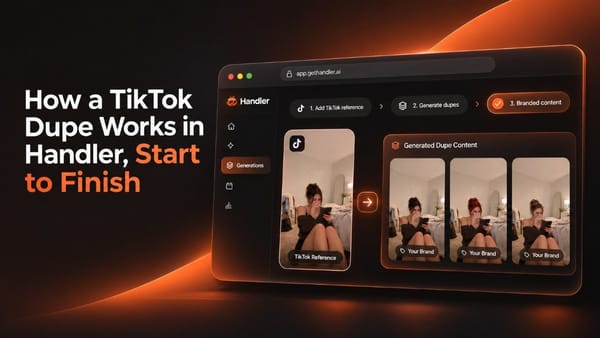
The overlay kit, with your budget text, caption, hashtags and "#ad" where needed, comes as a separate layer. How a TikTok Dupe Works in Handler, Start to Finish walks through each step. If an AI creator fronts your posts, Can an AI Creator Front Your Fitness App's TikToks? covers TikTok's labeling rules, which apply to meal planning apps too.
What does this data not show?
- Installs. We can see comments, not downloads. The comment read is a signal of intent, not a conversion count.
- Paid boosts. We cannot tell whether any of these posts were promoted with ads after they started to break out.
- Sample size. Four posts from one month. A different month could show a different leading hook.
- Geography. Woolworths is Australian. Save A Lot, Aldi and Trader Joe's are American. Results may not carry across markets.
FAQ
What kind of TikTok works best for a meal planning app? In October and November 2026, the top meal planning posts in Handler's library were app demos filmed over the shoulder on a tablet. Each opened on a specific grocery budget or a reaction to a store, then showed the app building a plan under that budget. All four scored between 640x and 1,863x their account's usual views.
How much did these meal planning TikToks beat their usual views? Between 640x and 1,863x. The top post, from @sunflowermama.coo, reached 834K views on an account that normally gets about 449. Older meal planning demos in the same library reached 3,134x in July and 4,644x in September 2026.
Do you need a big account to grow a meal planning app on TikTok? No. The four accounts in this teardown normally get between 282 and about 1.2K views per post. Their breakouts came from the format, not from an existing audience.
Which hook gets more installs: a specific budget or outrage at a store? In this sample, the specific-budget hook. Both budget posts drew install questions like "Is it free?" Both store-outrage posts drew reach and saves, but Handler read their comments as awareness rather than intent to download.
Should a meal planning app's TikToks say they are an ad? Yes, if the post is paid. Commenters called two of these four posts undisclosed ads, and that criticism took over the comments. The two posts with "#ad" next to the app name drew install questions instead.
How do I find meal planning outliers for my own app? Paste your App Store link into Handler. It pulls the TikToks breaking out in your niche and scores each one by Outlier and Pull. You can also browse the public lifestyle outlier library or run your own posts through the TikTok Outlier Calculator.
See the scores for your niche
Handler finds the outlier TikToks winning in your niche, scores them, and rebuilds the winners as on-brand videos with your own AI creator. Drop your app link into Handler and it pulls your niche's breakouts, like the four above. Your first 6 picks are free, no card. Start free at gethandler.ai, or browse the lifestyle outlier library. Handler comes from the team behind Flamme, which grew to 200k+ users and 50M+ organic TikTok views with zero paid spend.
How we measured
- Outlier Score: a post's views divided by its account's median views. 1,863x means the post got 1,863 times the account's usual views.
- Pull Score: weighted pull from saves and shares (4x each), comments (2x) and likes (1x), rated 1 to 5. It is the quality gate, so a post with big reach but weak pull scores low.
- Comment read: Handler reads each post's comments and labels the audience as convertible (real install intent) or awareness (reach without purchase intent).
- Source and scope: Handler's lifestyle library, Budget Meal Planning and Meal Planning niches, posts from 18 October to 3 November 2026, read on 17 November 2026. Older examples come from Handler's public outlier pages.