How to Spy on Competitor TikToks for a Study or Language App
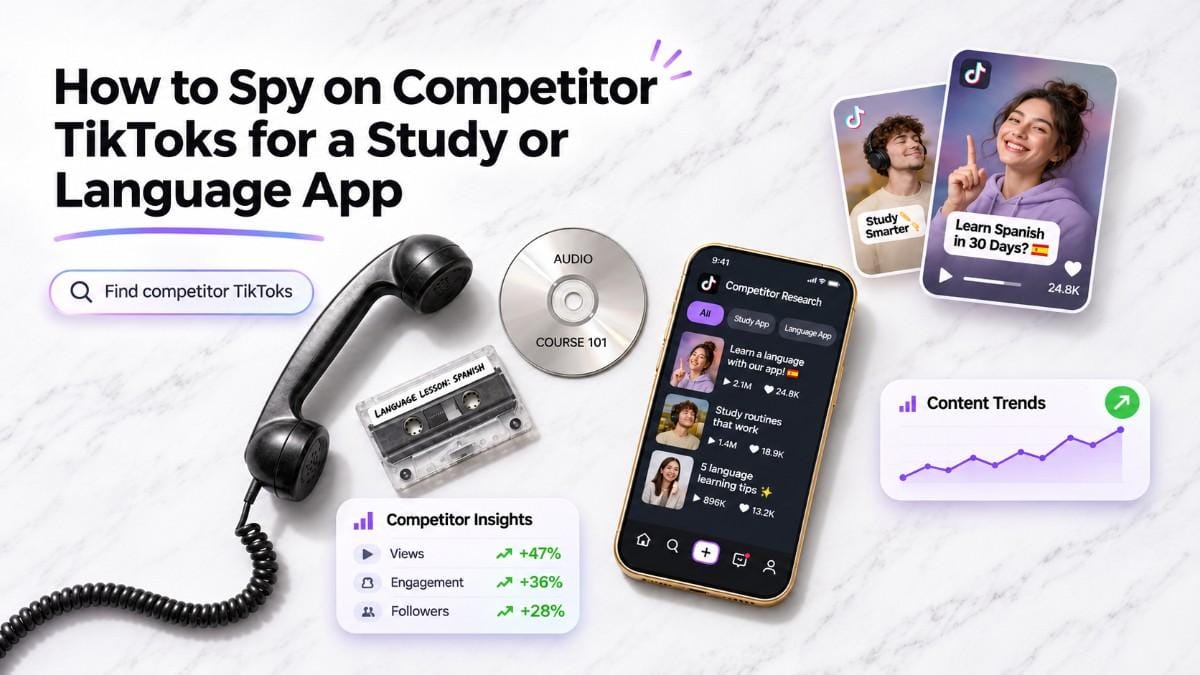
Drop your App Store, Play Store or site link into Handler. It reads what your app does, pulls the outlier TikToks winning in your niche, and scores each one by reach multiple (Outlier) and pull (Pull). TikSpy then explains the hook and payoff. Your first 6 picks are free, no card.
Key points
- "Spying" here means reading public TikToks that beat their own account's usual views, not anything private.
- Outlier tells you how far a post beat its own account. Pull tells you how hard it moved viewers, with saves and shares counting most.
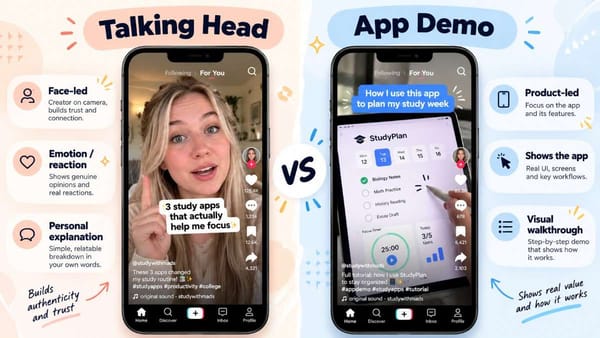
- In the education examples below, three winners used three different shapes: a 9-second talking head, a 17-second app demo and a 25-second silent app demo.
- Pick the winner whose structure fits your app, not just your category.
What does it mean to spy on competitor TikToks?
It means studying public TikToks from other apps in your category to see which formats are working, then using that to decide what to make. Nothing private is involved: no analytics, no accounts, only posts anyone can watch.
The hard part is not finding competitor posts. It is telling a post that is good for its account from a post that is merely big. Handler handles this by measuring each post against the account's own baseline, so a 2M-view post from a small account can score higher on Outlier than a 5M-view post from a large one.
For a study or language app, the useful set is wider than direct rivals. A flashcard app, a study timer and a language tutor all compete for the same learner on the same feed, so a winner in one sub-niche is worth a look from the others.
How do you find the TikToks winning for a study or language app?
Start from your app's link and let Handler do the matching. [CONFIRM every label below against the live product on publish day and add screenshots.]
- Drop your link. Use your App Store link, Play Store link or site. Handler reads what your app does and who it's for.
- Pick your lane. For a study or language app, that is Education. [CONFIRM: lane or Niche label and where it appears.]
- Read the picks. Handler lands six fresh picks a day, scored and matched to your niche. Each shows its Outlier bolts and Pull stars. A Fresh badge marks a TikTok posted in the last 7 days. [CONFIRM: badge placement.]
- Open a pick for the breakdown. TikSpy reads the hook, the payoff and the numbers behind them, so you know why a post worked before you copy anything.
- Or browse without an account. The public library is open: start at the Education hub, or go straight to the language learning and AI study apps collections.
The public pages show each post's format, scores, views and a short read on the hook. The full breakdown, including the comment read and the dupe kit, sits inside Handler.
How do you read the Outlier and Pull scores?
Outlier is views divided by the account's own baseline (its usual views per post), shown as 1 to 5 bolts. Pull is a 1 to 5 star rating of how hard a post moved viewers, weighted so that saves and shares count most.
Read them together. A worked example: @brittany.japanese typically gets about 1.6K views a post. One 9-second video reached 16M, which is 9,901x the account's baseline and 5 out of 5 on both scores. Its Pull weighted figure was 21.0%.
Two more checks keep you honest:
- Outlier is relative to the account. A tiny account can post a huge multiple on a modest number of views. Check the raw views before you build on it.
- Compare to peers. Handler's detail pages also place each post against other education outliers. That same video's views ran about 131x the median of recent education outliers in the library, and sat in the top 2% for reach but the top 43% for Pull. A big reach multiple does not guarantee the strongest pull.
For a longer walk through the scores, see post 2 [CONFIRM: add live URL].
What should a language app look for in a winning TikTok?
Look for a structure you can rebuild with your own app, not just a big number. Three education winners, one per sub-niche, show three different shapes. All figures are as shown on Handler's public pages on 3 Nov 2026.
Sub-niche | Post | Format | Length | Outlier | Pull | Views | Posted |
|---|---|---|---|---|---|---|---|
Language learning | Talking head | about 9 s | 9,901x | 5/5 | 16M | 1 Feb 2026 | |
AI study tools | App demo | about 17 s | 4,169x | 5/5 | 3.3M | 5 Dec 2025 | |
Study timers | Silent app demo | about 25 s | 14,427x | 5/5 | 12M | 12 Apr 2026 |
Language learning: the app lives in the audio. The 9-second talking head runs in one take. The speaker asks how to say a word in Japanese, answers, then reacts, with captions on screen throughout. No app screen appears. Handler's read of the hook is a mishearing that sounds like English slang and sets up a shock reaction. The takeaway: a language app does not need to show its interface if the language itself is the hook.
AI study tools: the app stays on screen. The StudyFetch post opens mid-lesson on the app, then an audio voice interrupts itself with a sneeze. The interface is visible the whole 17 seconds. Handler tags the hook as a glitch-reaction POV. A typical post on that account gets about 792 views; this one reached 3.3M, with 41K saves.
Study timers: the look carries it. The 25-second silent demo drew 150K saves and 19K shares. In the comments, viewers praised the aesthetics, while some asked what the app actually does. If your demo is silent, put a line on screen that says what the app is.
How common is each shape? On Handler's language learning collection page, 247 posts beat their own account's median. Talking head is 48% of them, app demo 29%, silent UGC 15% and slideshow 6%. For the education-wide comparison, see post 5.
How is this different from scrolling TikTok yourself, or asking an AI assistant?
Scrolling shows you what the feed decides to show you, with a view count and no context. You cannot tell from the count whether 2M views is a breakout for that account or a normal day. Handler puts the account's baseline beside every post, so the multiple is the first thing you see.
An AI assistant can describe general patterns for study and language apps. It does not know which specific posts beat their own accounts this week unless you give it that data. Handler's approach is the reverse of generating from scratch: it starts from what is already winning, with the numbers attached, and then lets you copy the structure.
None of this makes manual scrolling useless. It is still the best way to feel the tone of a niche. Handler is for deciding which posts deserve your time.
What do you do with the picks?
Each pick leads to one of three moves: dupe it, save it or skip it.
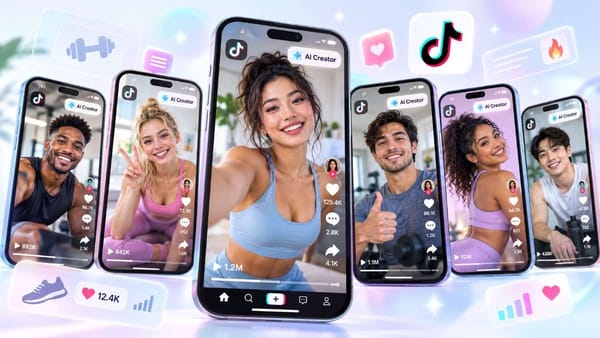
Dupe it. In DupeFarm you pick one of your AI creators, and it reshoots the winner as your own post. A Motion Dupe copies the exact movement and is always silent. A Premium Dupe is a fresh take, with optional voiceover.
- Match the dupe to the shape. A talking head winner, like the 9-second language hook above, suits a Premium Dupe. An app demo winner, like the StudyFetch post, needs your own screen recording, so you supply that.
- Add the overlay layer. The dupe kit (on-screen text, caption, hashtags and sound instruction) is separate from the video itself.
- Label AI creator videos as AI-generated when you post them. See post 4.
When you iterate, ReDupe is where you decide what to kill, mutate or scale. That is a later step; this post stops at choosing the winner.
What this does not do
- It does not show a competitor's private numbers: installs, revenue, ad spend or in-app behavior. It reads public posts only.
- It does not guarantee that copying a winning structure will work for your app. A high score shows a format worked for that account.
- It is not a list of your named rivals. Handler matches winners to your niche, so the posts you see may come from apps you have never heard of.
- A large Outlier multiple can come from a small baseline. Check raw views and Pull before you decide.
- It does not cover posts it has not indexed, and library counts change as new posts are added.
Try it on your own app
Drop your app link into Handler and your first 6 picks are free, no card. You get the outlier TikToks winning in your niche, each scored, with TikSpy's read on the hook and payoff. See plans and pricing for what the paid tiers add.